PUK Code Pakistan: How to Unlock SIM PUK Code for All Networks
If your phone screen shows Enter PUK, it means your SIM has been locked due to too many incorrect PIN attempts. A PUK is unique to your SIM card and cannot be found online or guessed with random numbers. Avoid entering random codes, as it could worsen the issue. Instead, check your original SIM packaging or use your network’s official methods to retrieve your PUK. After obtaining the correct PUK, enter it carefully and create a new SIM PIN.
اگر آپ کے فون کی سکرین Enter PUK دکھاتی ہے، تو اس کا مطلب ہے کہ آپ کا سم بہت زیادہ غلط PIN کوششوں کی وجہ سے لاک ہو گیا ہے۔ PUK آپ کے سم کارڈ کے لیے منفرد ہے اور اسے آن لائن نہیں پایا جا سکتا یا بے ترتیب نمبروں سے اندازہ نہیں لگایا جا سکتا۔ بے ترتیب کوڈز داخل کرنے سے گریز کریں کیونکہ یہ مسئلہ کو مزید خراب کر سکتا ہے۔ اس کے بجائے، اپنی اصل سم کی پیکیجنگ چیک کریں یا اپنے PUK کو بازیافت کرنے کے لیے اپنے نیٹ ورک کے سرکاری طریقے استعمال کریں۔ درست PUK حاصل کرنے کے بعد، اسے احتیاط سے درج کریں اور ایک نیا سم پن بنائیں۔
What Is a PUK Code?
PUK stands for Personal Unblocking Key, a longer numeric code (usually 8 digits) that unlocks a SIM card after too many incorrect PIN attempts.
- Purpose: It prevents unauthorized access by locking the SIM after 3 incorrect PIN entries, thereby protecting against guessing.
Key Differences
- PUK vs. SIM PIN: The SIM PIN is a 4-digit code set by the user for everyday use, while the PUK is a longer recovery code held by the network.
- PUK vs. Phone Password: These are different; a phone’s lock screen password does not unlock a PUK-locked SIM.
- PUK vs. Network Unlock Code: A network unlock code is related to unlocking a phone for use with different carriers, not a SIM-level code like the PUK.
PUK1 and PUK2
- PUK1: Standard PUK for the primary PIN (PIN1) that controls general SIM functions.
- PUK2: Separate recovery code for a secondary PIN (PIN2), used for fewer functions; not commonly needed by everyday users.
Read Also: Lost Your SIM Card in Pakistan
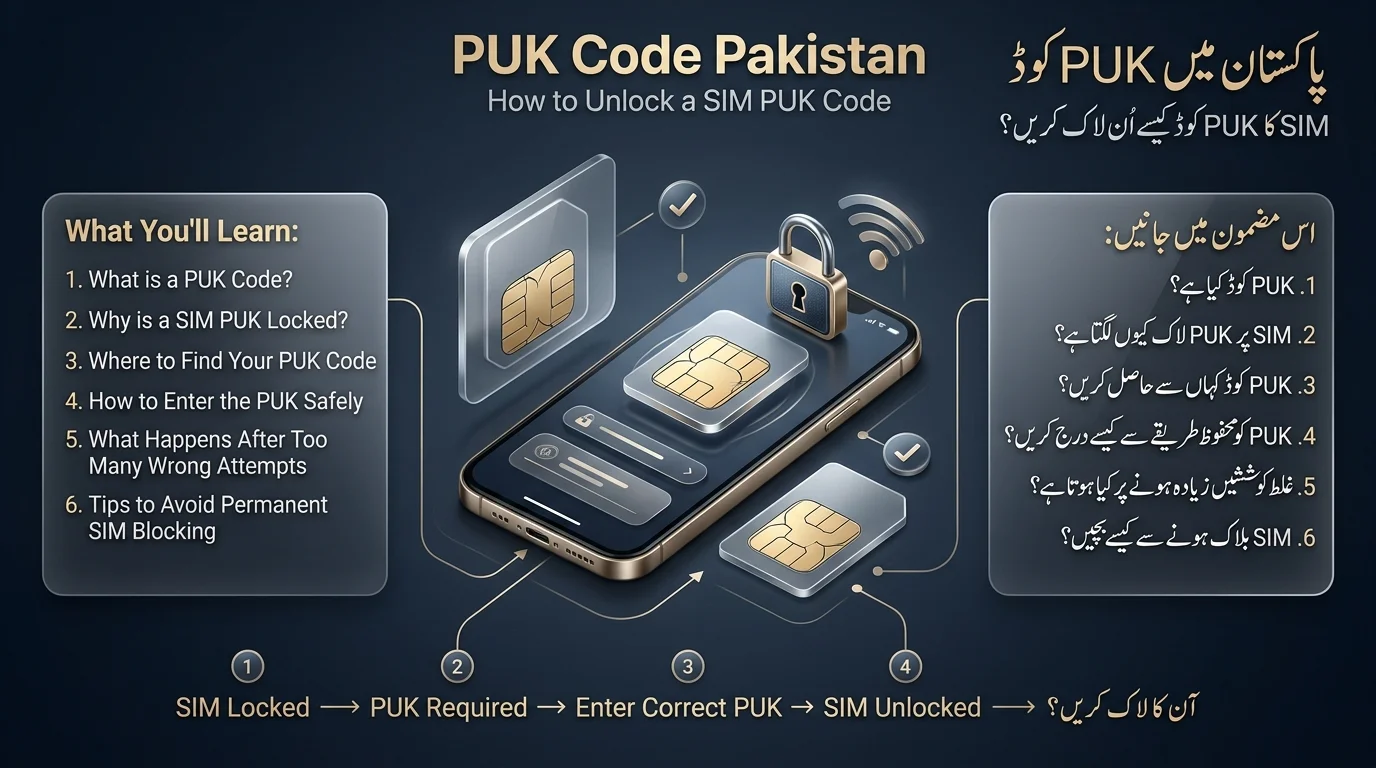
Why Does My SIM Ask for a PUK Code?
- SIM PIN protection locks the SIM after three incorrect PIN attempts, displaying a message like Enter PUK.
- Restarting the phone does not reset the SIM lock; the PUK is required for access.
- Wrong PUK attempts are limited (usually around 10), and entering it incorrectly too many times can permanently block the SIM.
- If the SIM is blocked, a new SIM must be obtained through the service operator, potentially resulting in a loss of stored contacts and requiring re-registration.
- It is advised to confirm the PUK through official channels rather than guessing.
How to Get Your PUK Code in Pakistan
To recover your PUK in Pakistan, you have three options:
- Check Your Original SIM Card Packaging: The PUK is printed on the card that came with your SIM.
- Use Your Mobile Network’s Official Self-Service: Retrieve your PUK through USSD codes, SMS shortcodes, WhatsApp bots, or the operator’s app, depending on your network.
- Contact the Network’s Customer Support: If other methods fail, call the helpline or visit a service center with your CNIC to verify your identity and obtain your PUK, or arrange a SIM replacement if necessary.
PUK Code Pakistan: Jazz, Zong, Ufone, Telenor & SCO: Quick Comparison
| Network | PUK Retrieval | Self-Service | If Unavailable |
| Jazz | SMS your number to 7023, or call 111 | Yes SMS-based | Jazz Franchise / Experience Center |
| Zong | SMS your number + CNIC to 7172, or call 310 | Yes SMS-based | Zong Customer Service Center |
| Ufone | WhatsApp “PIN/PUK Inquiry” via official Ufone bot, or call 333 | Yes WhatsApp | Ufone franchise/service center |
| Telenor | Call helpline 345 (042 111345100), or *710# self-service menu | Yes USSD/App | Telenor franchise |
| SCO | Call SCO customer support helpline | Limited | SCO service center (AJK/GB) |
Keep this table handy; it’s the fastest way to find your network’s method without reading the full section below.
Read Also: Check Onic SIM Information Online in Pakistan
Jazz PUK Code: How to Get and Unlock Jazz SIM
Obtaining PUK Code
- Send your complete Jazz number via SMS to 7023.
- Alternatively, call 111 from a Jazz number for assistance.
Important Note
- Avoid guessing the PUK code as incorrect attempts can block your SIM permanently. Jazz does not provide a default PUK.
Entering PUK Code
- Wait for the Enter PUK prompt, then input the received PUK carefully.
- Create and confirm a new SIM PIN (4–8 digits).
Troubleshooting
- Do not retry with different guessed codes to avoid burning limited attempts.
- Verify the received PUK for possible misreading and contact Jazz again if necessary.
- If issues persist, visit a Jazz Franchise or Experience Center with your CNIC.
Zong PUK Code: How to Get and Unlock Zong SIM
- To find your Zong PUK code, send your mobile number, CNIC number, and 1 (for PUK1) or 2 (for PUK2) via SMS to 7172, noting that this will incur a small charge. Alternatively, call the Zong helpline at 310 or 111-222-111.
- To unlock your Zong SIM with the PUK, enter the received code digit by digit, set a new SIM PIN, and restart your device if needed. Be cautious not to exceed the allowed PUK attempts to avoid permanent lockout. If your SIM is permanently blocked, visit a Zong Customer Service Center with your original CNIC for a replacement.
- Remember, each Zong PUK is unique; ignore any claims of a default or universal code.
Ufone PUK Code: How to Get and Unlock Ufone SIM
Accessing Ufone’s WhatsApp Helpline
- Message Hi to 0331-1333100 from your Ufone number to reach the automated service.
PUK Code Inquiry
- Select the “PIN/PUK Inquiry” option in the automated menu and complete identity verification to receive your PUK code directly in the chat.
If your Ufone Number is PUK-Locked
- Call the Ufone helpline at 333 (or 03311333100 from another phone) for assistance instead of using WhatsApp.
Unlocking Ufone SIM
- Enter the PUK, set a new SIM PIN, and restart if necessary.
PUK Issues
- If the PUK does not work, verify the code again via WhatsApp or call helpline 333, or visit a Ufone/PTCL service center with your CNIC.
Telenor PUK Code: How to Get and Unlock Telenor SIM
- To obtain a PUK code, call Telenor helpline at 345 or UAN 042 111345100.
- If your SIM shows PUK BLOCK, you need to replace it at a Telenor franchise with your original CNIC.
- A self-service option is available via *710# through the My Telenor app or dial pad, but if it doesn’t work, contact the helpline.
- To unlock a Telenor SIM: wait for the PUK prompt, enter the received PUK code, create and confirm a new SIM PIN, and restart your phone if needed.
- If the PUK code is not working, verify it with the helpline to avoid exhausting attempts.
- For a permanently blocked SIM after failed attempts, a visit to a Telenor franchise for replacement is required.
SCO PUK Code: How to Unlock SCO SIM
- SCO (Special Communications Organization) provides services in Azad Jammu & Kashmir and Gilgit-Baltistan and is often overlooked in PUK guides.
- To find your SCO PUK, check the original SIM packaging or contact customer support through the official helpline or app.
- To enter the SCO PUK, wait for the “Enter PUK” prompt, input the verified code, set a new SIM PIN, and restart the device if necessary.
- If the PUK doesn’t work, avoid guessing and reconfirm the code with customer support. If the SIM is permanently blocked, visit the nearest SCO service center with your CNIC.
How to Enter a PUK Code and Unlock Your SIM (Universal Steps)
- Wait for the Enter PUK prompt after the SIM locks.
- Enter the PUK received from your operator carefully, as there are limited attempts.
- Create and confirm a new SIM PIN.
- Test calls, SMS, and mobile data to ensure functionality.
Android Instructions
- The PUK prompt appears on the lock screen. Enter the PUK, then set a new PIN through on-screen prompts or under Settings → Security → SIM card lock.
iPhone Instructions
- The PUK prompt also appears at startup. Enter the PUK, tap Done, and set a new PIN when prompted. Be cautious of the attempt limit.
Can You Unlock a SIM Without a PUK Code?
The PUK (Personal Unblocking Key) system is designed to prevent bypassing via guessing or third-party software.
Legitimate ways to recover a PUK include:
- SIM-specific recovery through official channels.
- Operator verification to prove identity for PUK retrieval.
- Using the original SIM packaging code.
- Contacting official customer service for assistance.
- Obtaining a replacement SIM if it becomes permanently blocked.
- There is no universal PUK code; each PUK is specific to one SIM card.
- Online codes claiming to be universal or default are not valid and can risk permanently blocking the SIM.
PUK Code Not Working? 7 Things to Check
- Carefully check each digit when entering the PUK to avoid failed attempts.
- Ensure you use the correct PUK for the current SIM, especially if you’ve swapped SIMs.
- Remember that the PUK is different from the PIN; the PUK is the longer operator-issued code.
- Do not attempt to use an old PUK from a different SIM, as they are SIM-specific.
- Restart the phone if it still shows the SIM as locked after a successful unlock.
- Stop if attempts are exhausted, as further tries can permanently block the SIM.
- Contact your network operator for assistance if none of the above solutions work.
Read Also: eSIM in Pakistan: Complete Guide to Prices, Activation & PTA
What Happens If You Enter the Wrong PUK Too Many Times?
- The PUK code is different from the PIN and is specific to each SIM.
- Using an old PUK from a different SIM will not work.
- Restart your phone if the SIM is still locked after unlocking.
- Avoid exhausting PUK attempts, as too many can permanently block the SIM.
- Contact your network operator for help if needed.
- Exceeding the maximum number of PUK attempts (usually around 10) will permanently block the SIM, which cannot be reversed.
- A permanently blocked SIM requires replacement through the operator, often needing your original CNIC and possibly biometric verification.
PUK vs PIN vs PUK2 vs Network Unlock Code
| Code | Purpose |
| SIM PIN | The short code you set to protect your SIM day-to-day |
| PUK / PUK1 | Unlocks the SIM after too many wrong PIN attempts |
| PIN2 | A secondary PIN used for limited SIM functions |
| PUK2 | Unlocks the SIM after too many wrong PIN2 attempts |
| Phone PIN/passcode | Unlocks the phone itself — separate from the SIM entirely |
| Network unlock code | Frees a handset locked to one operator so it accepts other SIMs (device-level, tied to IMEI) |
It’s important to distinguish between different security measures, as they operate on separate systems. For example, resetting a phone’s lock-screen passcode will not affect a PUK-locked SIM.
Conclusion
To recover a PUK code in Pakistan, users should check their original SIM packaging first. If the code is not found, they can use their mobile network’s self-service options or contact customer support. It’s crucial to avoid guessing the PUK, as multiple incorrect attempts can permanently block the SIM. Following official channels ensures a safe recovery of SIM access.
پاکستان میں PUK کوڈ کو بازیافت کرنے کے لیے، صارفین کو پہلے اپنی اصل سم کی پیکیجنگ کو چیک کرنا چاہیے۔ اگر کوڈ نہیں ملتا ہے، تو وہ اپنے موبائل نیٹ ورک کے سیلف سروس کے اختیارات استعمال کر سکتے ہیں یا کسٹمر سپورٹ سے رابطہ کر سکتے ہیں۔ PUK کا اندازہ لگانے سے گریز کرنا بہت ضروری ہے، کیونکہ متعدد غلط کوششیں سم کو مستقل طور پر بلاک کر سکتی ہیں۔ آفیشل چینلز کی پیروی کرنا سم تک رسائی کی محفوظ بازیافت کو یقینی بناتا ہے۔
Frequently Asked Questions
What is a PUK code?
A Personal Unblocking Key — an operator-issued code (usually 8 digits) used to unlock a SIM that has locked itself after too many wrong PIN entries.
How can I find my SIM PUK code in Pakistan?
Check your original SIM packaging first. If that’s unavailable, use your network’s official self-service method (SMS, USSD, or WhatsApp) or call the operator’s helpline for identity-verified support.
Is there a universal PUK code?
No. Every PUK is unique to the individual SIM card. Any default or universal PUK you see online is not genuine and risks permanently blocking your SIM.
Can I unlock my SIM without a PUK?
No, not legitimately. The PUK system is built into the SIM’s own security, and there’s no verified way to bypass it. The only path forward is retrieving the correct PUK through official channels, or getting a replacement SIM if it’s permanently blocked.
What happens if I enter the wrong PUK?
Each wrong attempt uses up one of a limited number of tries (commonly around 10). Running out permanently blocks the SIM, requiring a full replacement from your operator.
Disclaimer
The article provides general information about PUK recovery processes in Pakistan, noting that details like helpline numbers and self-service options can change without notice. It emphasizes the importance of verifying current procedures through official channels and advises against sharing sensitive information with unofficial parties. The content is not affiliated with any mobile network operator or the Pakistan Telecommunication Authority.
Sources & References
- Jazz Pakistan: Official FAQs available at jazz.com.pk/faqs and customer support on X/Twitter (@JazzPk).
- Ufone 5G: Self-service via WhatsApp at ufone.com/whatsapp-bot and customer support at ufone.com/support.
- Telenor Pakistan: PUK Code / PIN Code FAQs found at telenor.com.pk/faqs/puk-code-pin-code.
- Zong Pakistan: Customer support available on X/Twitter (@Zongers).
- Wikipedia Reference: General background on “Personal unblocking key at en.wikipedia.org/wiki/Personal_unblocking_key.