CNIC Photocopy Restrictions Pakistan: How They Protect You From SIM Fraud
A CNIC photocopy restriction is a specific note or watermark indicating the intended use of the copy, such as For Bank Account Verification Only. While this practice helps deter misuse by specifying the recipient, purpose, and date, it does not provide actual security against SIM fraud or identity theft. The Pakistan Telecommunication Authority (PTA) emphasizes that true protection comes from biometric verification and regular checks of registered SIMs, rather than relying solely on handwritten notes on photocopies. It’s important to implement these restrictions but also take further protective actions.
CNIC فوٹو کاپی کی پابندی ایک مخصوص نوٹ یا واٹر مارک ہے جو نقل کے مطلوبہ استعمال کی نشاندہی کرتی ہے، جیسے کہ صرف بینک اکاؤنٹ کی تصدیق کے لیے۔ اگرچہ یہ مشق وصول کنندہ، مقصد اور تاریخ بتا کر غلط استعمال کو روکنے میں مدد کرتی ہے، لیکن یہ سم فراڈ یا شناخت کی چوری کے خلاف حقیقی تحفظ فراہم نہیں کرتی ہے۔ پاکستان ٹیلی کمیونیکیشن اتھارٹی (PTA) اس بات پر زور دیتی ہے کہ حقیقی تحفظ بائیو میٹرک تصدیق اور باقاعدگی سے رجسٹرڈ سمز کی جانچ پڑتال سے حاصل ہوتا ہے، بجائے اس کے کہ فوٹو کاپیوں پر ہاتھ سے لکھے گئے نوٹوں پر انحصار کیا جائے۔ ان پابندیوں کو نافذ کرنا بلکہ مزید حفاظتی اقدامات کرنا بھی ضروری ہے۔
What Is a CNIC Photocopy Restriction?
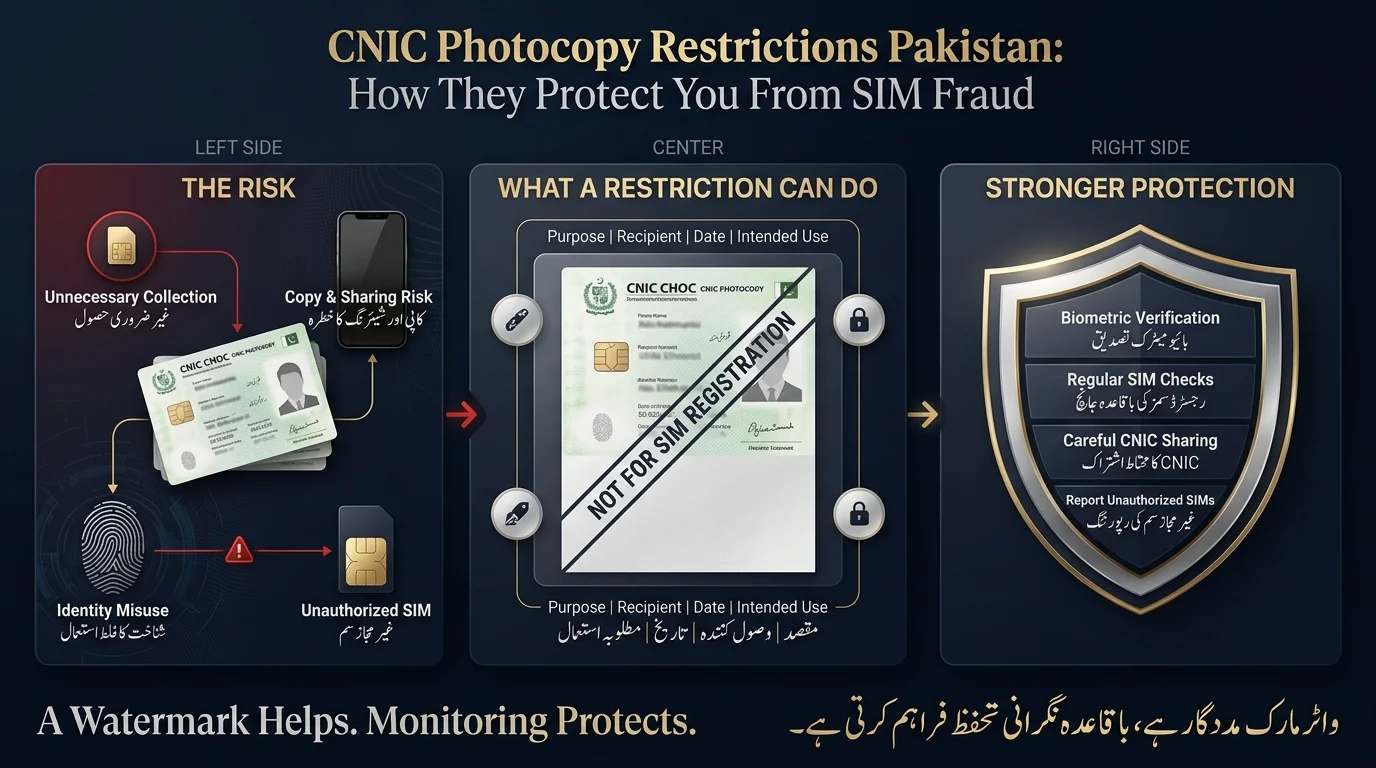
A CNIC photocopy restriction is a statement added to a photocopy or scanned image of your CNIC to specify its intended use, recipient, and date. This practice helps to prevent misuse by clearly indicating that the document is for a specific purpose, similar to writing VOID on a blank cheque.
There are four common types of restrictions:
- Purpose restriction: States the specific reason for providing the copy
- Recipient restriction: Names the specific authorized holder
- Date restriction: Provides a timestamp for when the copy was issued
- SIM-specific restriction: Explicitly states the copy cannot be used for SIM registration
These restrictions serve several purposes: they deter misuse, document the purpose of the copy, and provide evidence of intended use. However, it is important to note that restrictions are not foolproof; they act as a deterrent rather than absolute security.
Can Someone Misuse Your CNIC Photocopy for SIM Fraud?
This is the question most people are really asking, and it deserves a straight answer: yes, it’s possible, but a photocopy alone does not automatically become an active SIM.
How CNIC information can become a fraud risk
The risk pathway involves the following steps:
- Exposure of your CNIC information (through photocopies, careless sharing, or compromised sources).
- Misuse of the information for fraudulent activities or impersonation.
- Successful unauthorized registration of a SIM or account in your name.
- Use of that SIM or account for illegal activities that trace back to your identity.
Why SIM fraud is serious
An unauthorized SIM registered against your CNIC isn’t just an inconvenience. It can be used for:
- Scam calls made in a way that appears linked to your identity
- Impersonation in financial or legal matters
- OTP-related attacks against your bank accounts or mobile wallets, since one-time passcodes are often sent by SMS
- Mobile-wallet fraud, including unauthorized transactions
- Harassment of third parties using a number that traces back to your CNIC
- Involvement in criminal activity that investigators may initially associate with you, simply because the SIM sits on your record
The Pakistan Telecommunication Authority (PTA) highlights CNIC misuse as a major consumer protection issue, as fraudsters can activate unauthorized SIMs for illegal purposes. Most fraudulently issued SIMs are linked to women’s identities. Therefore, PTA urges checks for family members, especially older relatives who may not be aware of unauthorized activity.
Does a photocopy alone activate a SIM?
The SIM registration process in Pakistan requires biometric verification through a live fingerprint match with NADRA’s database, meaning a photocopy alone cannot legitimately register a SIM. However, fraud has occurred through compromised staff and fake devices, resulting in unauthorized SIM activations. This reflects a real-world failure in enforcement, despite the rules stating photocopies should not suffice. Therefore, it’s important to monitor your CNIC-linked SIMs even if you haven’t directly submitted your original CNIC.
What Should You Write on a CNIC Photocopy?
- Use a reusable format for documents with essential information.
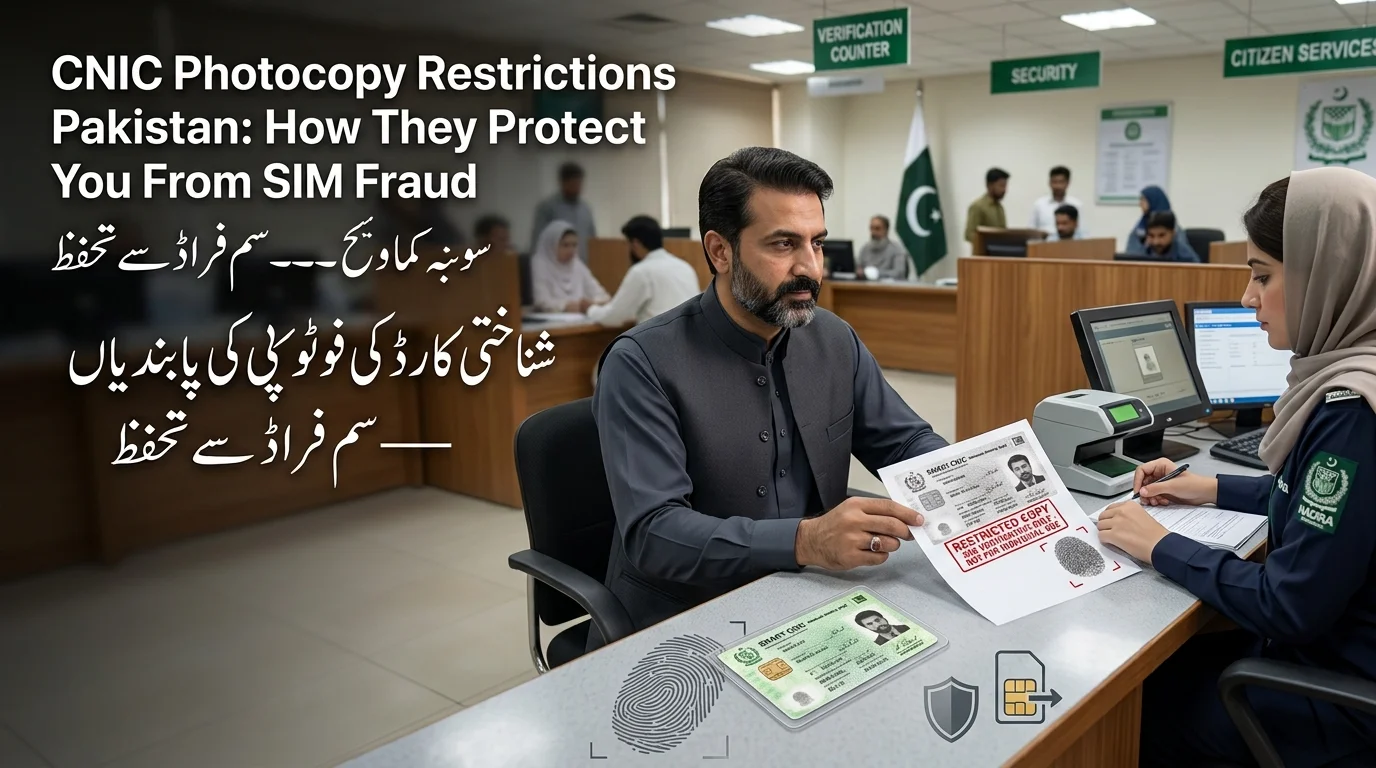
- Include the purpose, organization, date, and a note that it’s not for SIM registration.
- Write it clearly and visibly, preferably in ink or as a printed watermark.
- Examples of applications: bank account verification, job applications, and rental agreements.
Where should the watermark go?
- Place the watermark across the photocopy, avoiding corners to prevent cropping or folding.
- Ensure that the CNIC number, photo, and name are clearly visible for identification purposes.
- Use bold ink or a printed digital watermark instead of light pencil or pale ink to maintain visibility after scanning or photocopying.
Does a CNIC Watermark Actually Prevent SIM Fraud?
What a Watermark CAN Do
- Discourages casual reuse of copies.
- Identifies the intended purpose of the document.
- Marks the authorized recipient.
- Establishes the date it was provided.
- Facilitates identification of misuse later.
What a Watermark CANNOT Guarantee
- Does not disable or redact personal information.
- Does not replace biometric verification for SIM activation.
- Does not prevent fraud, especially with malicious handling.
- Is not a substitute for monitoring registered SIMs.
Correct Protection Model
- Use a layered approach: restricted photocopy, careful sharing, biometric security, regular SIM checks, and rapid reporting.
- Each layer addresses different vulnerabilities, with the watermark serving as a visible first layer in the security system.
How CNIC Photocopy Misuse Can Lead to SIM Fraud
- Unnecessary Collection: CNIC copies are often collected unnecessarily by informal agents or unverified services, leading to potential risks.
- Retention and Duplication: Once a copy is out of your control, it can be duplicated or mismanaged, increasing vulnerability.
- Misuse of Identity Information: While most copies aren’t misused, there is a risk of impersonation through visible details like CNIC number and name.
- Unauthorized Activity: Successful impersonation can lead to unauthorized SIM registrations or fraudulent accounts in the victim’s name.
- Discovery of Issues: Victims typically notice small signs of misuse, such as unexpected SIM counts, unfamiliar telecom activity, loss of service, or suspicious financial transactions.
CNIC Photocopy Fraud vs SIM Swap Fraud
These two problems get confused constantly, but they’re different threats with different first responses.
| Issue | CNIC photocopy misuse | SIM swap |
| Main target | Your identity information | Your existing, active mobile number |
| Common risk | Unauthorized identity use | Takeover of a number you already own |
| Possible result | Fraudulent registrations or impersonation | Interception of OTPs sent to your real number |
| Warning sign | An unfamiliar SIM or unknown activity appears | Sudden, total loss of signal on your own phone |
| First response | Verify your identity records and SIM count | Contact your operator immediately |
- If you suddenly lose signal on an actively used SIM, it indicates a potential SIM swap, and you should contact your operator immediately.
- Finding an extra SIM that you did not register suggests CNIC misuse, prompting you to check your CNIC and consider the disowning process.
How to Check SIMs Registered Against Your CNIC
- You can check the number of SIMs registered against your CNIC by sending your CNIC number (without dashes) via SMS to the short code 668.
- Information is also available through the official PTA web portal at cnic.sims.pk, rather than unofficial third-party sites.
- If the SIM count appears incorrect, identify the operator, contact their official service centre, and request verification or disowning of unfamiliar SIMs, keeping a record of your complaint.
- Recheck your SIM count after a few days for updates.
- Avoid entering your CNIC on random websites claiming to offer SIM ownership checks, as these may be scams aiming to harvest personal information.
What to Do If an Unauthorised SIM Is Registered on Your CNIC
- Confirm the suspicious SIM registration by checking against all your current and old numbers.
- Identify the telecom operator for the unfamiliar SIM.
- Visit the official customer service centre of the operator with your CNIC for assistance.
- Request cancellation or disowning of the unauthorised SIM, typically requiring biometric verification.
- Obtain and record the complaint or reference number for follow-up.
- Escalate to the PTA if the issue is not resolved promptly.
- Recheck your SIM count after a couple of days to ensure the unauthorised SIM has been removed.
PTA has formal procedures for resolving unauthorised SIM issues, emphasising the need to work with your operator first.
Rules for Safely Sharing a CNIC Photocopy
- Only provide a copy of your CNIC when necessary.
- Inquire about the need for the copy and clarify its specific purpose.
- Include the recipient’s name or organisation and the date on the copy.
- Add a “not for SIM registration” note if it’s unrelated to telecom services.
- Do not send CNIC images to unknown or unverified WhatsApp contacts.
- Avoid unofficial SIM or CNIC lookup websites.
- Keep a record of where and when copies are submitted.
- Regularly check the count of SIMs linked to your CNIC
When Should You NOT Give a CNIC Photocopy?
Be cautious of:
- Unknown callers requesting verification.
- Random requests on WhatsApp or social media.
- Social media schemes for identity verification, including fake giveaways or job offers.
- Unofficial SIM sellers outside proper franchises.
- Suspicious online forms without verifiable organisations.
- Websites claiming to reveal SIM owner information.
CNIC Photocopy Safety in 2026: Physical vs Digital Copies
- Watermarking for Physical Copies: Use clear watermarks indicating purpose, recipient, and date on physical photocopies to ensure they are effective even when scanned.
- Risks of Digital Copies: Digital images (e.g., CNIC scans) can be easily shared and duplicated, leading to a loss of control. It’s advisable to minimise and delete unnecessary digital copies after use.
- Digital Identity vs. Physical Copies: There is a distinction between official digital identity services and simply sharing a photo of your physical CNIC. The latter is as insecure as handing over a physical copy, and many organisations still require watermarked physical documents.
- Security Considerations: Do not assume digital transmissions are inherently more secure; organisations may have different requirements for verification.
Common Myths About CNIC Photocopy Restrictions
- Writing “NOT FOR SIM REGISTRATION” is not a foolproof way to block SIM fraud; biometric verification and monitoring are essential.
- A photocopy of your CNIC is still risky, as it contains personal details that can be misused.
- Biometric verification does not eliminate the need for monitoring SIMs due to enforcement gaps allowing unauthorised registrations.
- Only the PTA’s official channels (668 and its website) are trustworthy for CNIC or SIM information; third-party sites may misuse your data.
- You should check your CNIC even if you don’t own a SIM, as unauthorised registrations can occur even without personal activation.
CNIC Photocopy Restrictions: What They Protect You From
| Threat | Does a restriction help? | Other protection needed? |
| Unauthorised reuse of the copy | Yes | Yes |
| Identity impersonation | Yes | Yes |
| SIM fraud | Partially | Yes |
| SIM swap | Not by itself | Yes |
| OTP theft | No | Yes |
| Data leakage | Deterrence only | Yes |
Conclusion
CNIC photocopy restrictions offer some protection against SIM fraud, but can’t fully prevent it. Adding details like purpose, recipient, date, and a “Not for SIM Registration” note can help deter misuse and provide context. Real security relies on biometric verification, cautious sharing of CNIC details, and regular checks on registered SIMs. If you find an unauthorized SIM, contact the telecom operator to request disowning, keep a record of your complaint, and escalate to PTA if needed. Using these measures together can help reduce the risk of CNIC misuse and detect suspicious activity early.
CNIC فوٹو کاپی پابندیاں SIM فراڈ کے خلاف کچھ تحفظ فراہم کرتی ہیں، لیکن اسے مکمل طور پر روک نہیں سکتیں۔ مقصد، وصول کنندہ، تاریخ، اور “سم رجسٹریشن کے لیے نہیں” نوٹ جیسی تفصیلات شامل کرنے سے غلط استعمال کو روکنے اور سیاق و سباق فراہم کرنے میں مدد مل سکتی ہے۔ حقیقی سیکیورٹی کا انحصار بائیو میٹرک تصدیق، CNIC تفصیلات کے محتاط اشتراک، اور رجسٹرڈ سمز پر باقاعدہ چیکنگ پر ہوتا ہے۔ اگر آپ کو کوئی غیر مجاز سم ملتی ہے، تو نامنظور کی درخواست کرنے کے لیے ٹیلی کام آپریٹر سے رابطہ کریں، اپنی شکایت کا ریکارڈ رکھیں، اور ضرورت پڑنے پر PTA کے پاس جائیں۔ ان اقدامات کو ایک ساتھ استعمال کرنے سے CNIC کے غلط استعمال کے خطرے کو کم کرنے اور مشکوک سرگرمی کا جلد پتہ لگانے میں مدد مل سکتی ہے۔
Frequently Asked Questions
Can someone use my CNIC photocopy for SIM fraud?
It’s possible in cases where point-of-sale verification controls are weak, though a photocopy alone shouldn’t be sufficient under the official biometric verification process. Regularly checking your CNIC-linked SIM count is the most reliable way to catch this early.
Should I write “not for SIM registration” on my CNIC copy?
Yes, especially when the copy is for a purpose unrelated to telecom services. It won’t guarantee protection, but it removes any ambiguity about what the copy was authorized for.
Does a CNIC watermark have legal protection?
A watermark can serve as evidence of your intended purpose if a dispute arises, but it isn’t a specific legal shield on its own; it’s supporting documentation, not a substitute for reporting misuse through official channels.
How do I check which SIMs are registered to my CNIC?
Send your 13-digit CNIC number, without dashes, to 668, or use PTA’s official SIM Information System website.
What is 668 used for in Pakistan?
It’s PTA’s official short code for checking how many SIMs, broken down by operator, are currently registered against your CNIC.
What should I do if I find an unknown SIM?
Identify the operator, visit their official franchise with your original CNIC, request disowning through biometric verification, and escalate to PTA if it isn’t resolved.
Disclaimer
This article provides general information and is not a substitute for professional advice. It references procedures, codes, and fees as of August 2026, which may change. Always verify current procedures with PTA’s official channels and never share your CNIC number or biometric data with unverified entities.
Sources & References
- The Pakistan Telecommunication Authority (PTA) provides guidance on biometric verification to prevent unauthorised SIM/WLL activation using exposed identity information. More details can be found on their website.
- Users can check the number of SIMs registered against their CNIC via the 668 SMS method or the online SIM Information System.
- The PTA conducts inspections of cellular mobile operators to ensure that unverified mobile numbers are being blocked.
- An official complaint portal is available for reporting unauthorized SIM registrations: complaint.pta.gov.pk.
- PTA offers a free consumer helpline at 0800-55055.
- For the latest procedures, fees, and short codes, it is advised to check PTA’s official website, www.pta.gov.pk, instead of third-party sources.