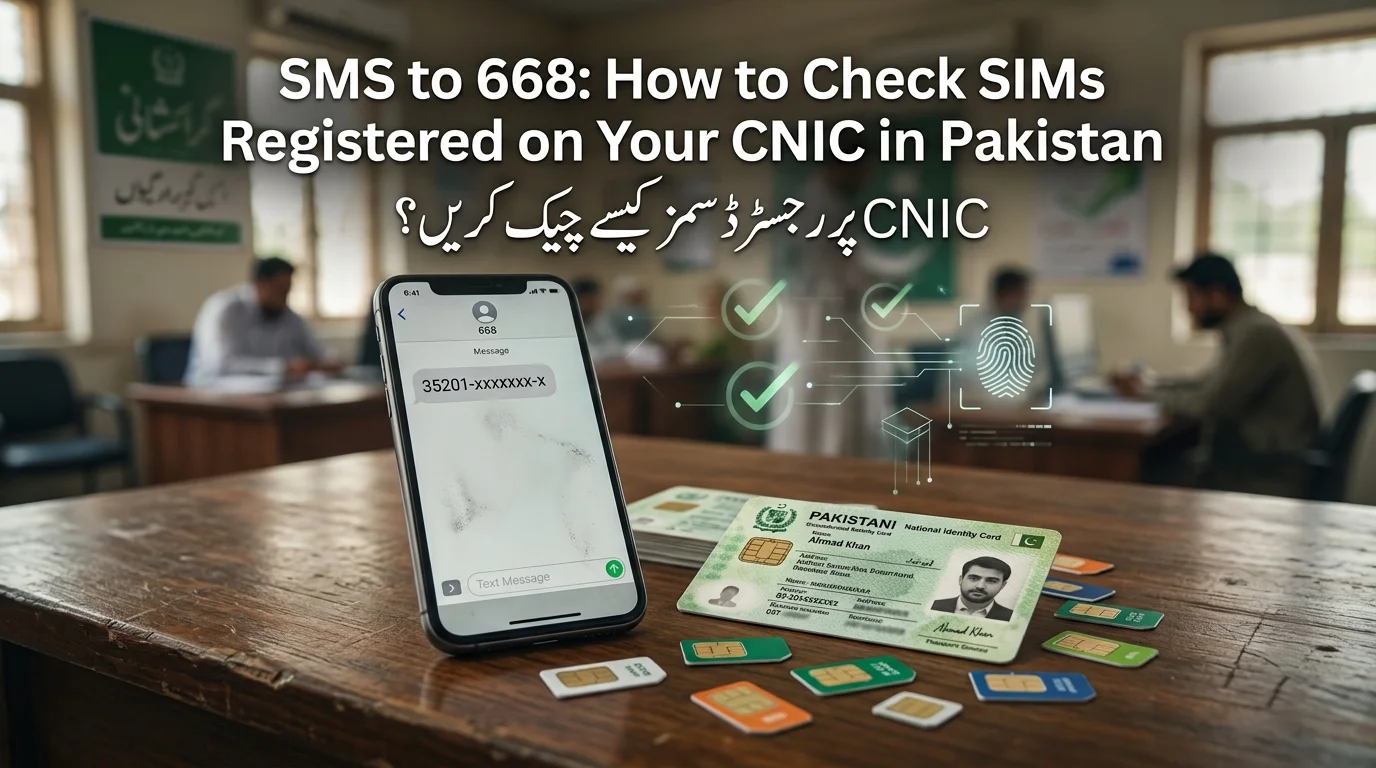
SMS to 668: How to Check SIMs Registered on Your CNIC in Pakistan
To check the number of SIMs registered against your CNIC, send your 13-digit CNIC (without dashes) via SMS to 668. You will receive a reply showing how many SIMs are registered under your name with each mobile operator. This free or low-cost service is provided by the Pakistan Telecommunication Authority (PTA). Alternatively, you can use the online SIM Information System on the official PTA website. The 668 service is helpful for those without internet access.
اپنے CNIC کے خلاف رجسٹرڈ سموں کی تعداد چیک کرنے کے لیے، اپنا 13 ہندسوں کا CNIC (بغیر ڈیش کے) SMS کے ذریعے 668 پر بھیجیں۔ آپ کو ایک جواب موصول ہوگا جس میں بتایا جائے گا کہ ہر موبائل آپریٹر کے پاس آپ کے نام سے کتنی سمیں رجسٹرڈ ہیں۔ یہ مفت یا کم قیمت سروس پاکستان ٹیلی کمیونیکیشن اتھارٹی (PTA) کی طرف سے فراہم کی جاتی ہے۔ متبادل طور پر، آپ PTA کی آفیشل ویب سائٹ پر آن لائن سم انفارمیشن سسٹم استعمال کر سکتے ہیں۔ 668 سروس ان لوگوں کے لیے مددگار ہے جو انٹرنیٹ تک رسائی نہیں رکھتے ہیں۔
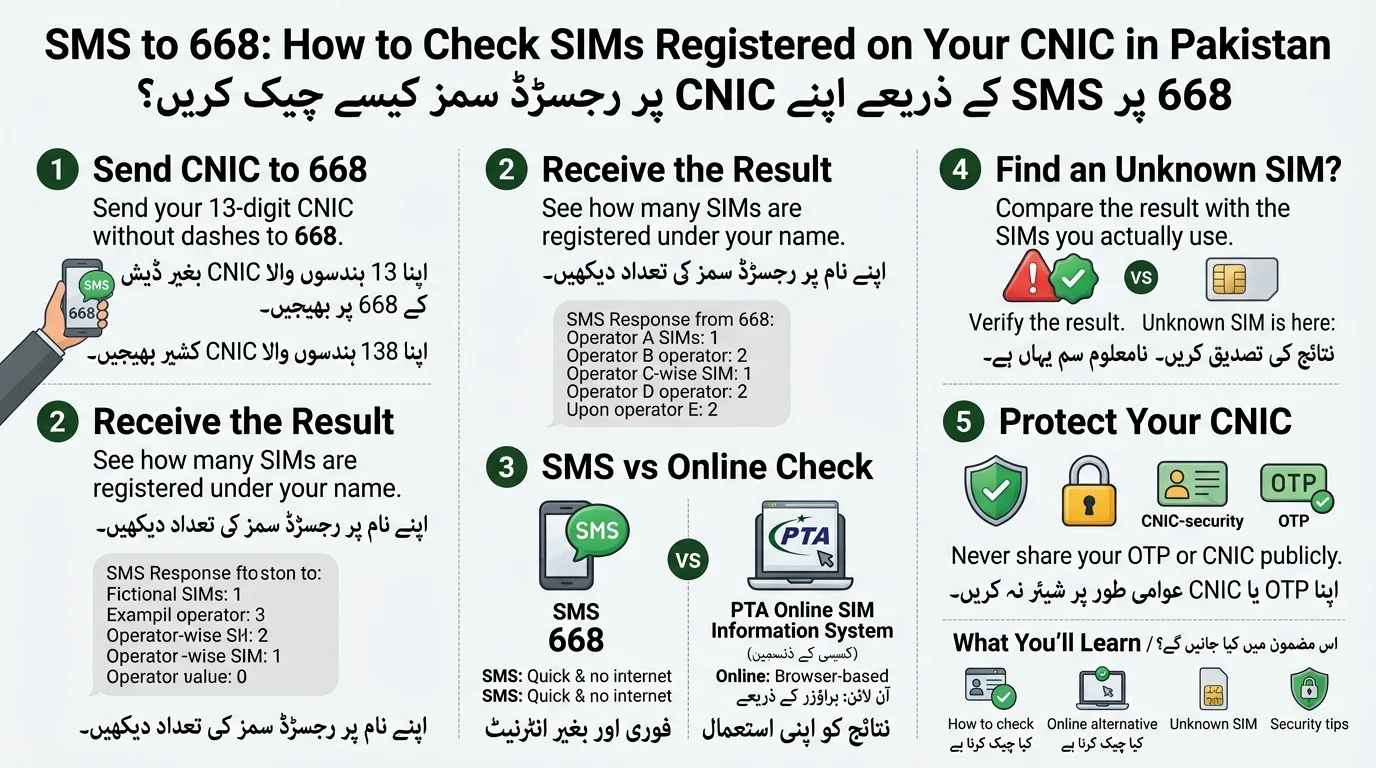
How to Send SMS to 668 to Check SIMs
This is the core process, and it only takes a minute from start to finish.
Step 1: Open Your SMS App
To use the service, have a mobile phone with a Pakistani SIM and your CNIC number ready; no internet is needed for SMS.
Step 2: Enter Your CNIC Number
- Enter your 13-digit CNIC number as a single string without any dashes or spaces.
- Use only your own CNIC for checking your SIM records.
- Avoid posting your CNIC publicly to protect your sensitive personal information.
Step 3: Send the CNIC to 668
To send a text message, type your 13-digit CNIC number (without dashes) and send it to the shortcode 668. Example format only; do not use a real CNIC in examples or screenshots.
Step 4: Wait for the Response
The system checks your CNIC in the PTA’s SIM database after you send a message, providing a list of SIMs registered under your name, sorted by mobile operator.
How Long Does the SMS Response Take?
Most users receive responses within seconds to a couple of minutes. Response times may vary due to network traffic and system activity, so if it takes longer than usual, it’s normal to wait before assuming there’s a problem.
What Information Does 668 Provide?
The 668 service is intended to inform users about the number of SIMs registered against their CNIC and the associated operators. It functions as a count-and-verify tool rather than a complete data lookup service.
| Information | Available through 668? |
| SIM count associated with your CNIC | Yes, this is the main purpose of the service |
| Mobile network/operator names | Yes, the reply typically breaks the count down by operator |
| Complete mobile numbers | Not guaranteed — the core reply is usually a count, not full number listings; confirm current format with PTA |
| Another person’s SIM information | No, the service is meant for checking your own CNIC only |
| Your CNIC’s overall registration status | Partial — it reflects SIM registrations, not full CNIC/NADRA record details |
The key distinction is between the number of SIM cards linked to your account and actual phone numbers. The service helps you track connections under your name to identify if the count is unusually high, rather than listing all phone numbers.
Example of an SMS 668 SIM Check Result
Example only: this is an illustrative format and not an actual PTA response.
| Mobile Operator | SIMs Associated |
| Operator A | 2 |
| Operator B | 1 |
| Operator C | 0 |
| Operator D | 1 |
| Total | 4 |
Check your SIM results by comparing the total number listed with the SIMs you own. If there’s an unknown SIM, investigate it, as it may be old or registered without your knowledge.
How to Check SIMs Registered on Your CNIC Online
To check your SIM registration information without a Pakistani SIM, you can use the PTA’s Official SIM Information System online. Follow these steps:
- Visit the official tool to get complete Detail
- Visit the official PTA web portal and verify the domain for authenticity.
- Enter your 13-digit CNIC number.
- Complete the required security verification, such as a CAPTCHA.
- View your SIM registration details, which will show your SIM count by operator.
This online method is especially beneficial for overseas Pakistanis or anyone without local SIM access, as it only requires an internet connection.
SMS 668 vs Online SIM Check
| Feature | SMS 668 | Online Method |
| Requires internet | No | Yes |
| Requires a mobile phone | Yes | Not necessarily |
| Uses CNIC | Yes | Yes |
| Shows SIM registration information | Yes (verify current format) | Yes (verify current format) |
| Best for | A quick, on-the-go check | Browser-based access, including from abroad |
If you need a quick answer while on your phone, SMS to 668 is the fastest option. If you’re using a laptop, don’t have a Pakistani SIM, or are outside Pakistan, the online portal is more practical. Both methods provide the same results.
Does 668 Show the Actual SIM Numbers?
The 668 system provides a count of SIMs registered under your CNIC, categorized by operator, but does not list individual mobile numbers associated with that CNIC. A count indicates how many SIMs exist, but it doesn’t provide a complete directory of numbers. It’s important to understand that full number details are available only to the CNIC holder for their own account, not for looking up others’ SIMs. If your count does not match the SIMs you use, contact your mobile operator or check the online portal for more information.
Read Also Related Article: Lost Your SIM Card in Pakistan
What If You Find an Unknown SIM on Your CNIC?
This is where a routine check can actually save you from a real problem: an unrecognized SIM under your name is a legitimate security concern.
Compare the Result With Your Current SIMs
- List all SIM cards you own and actively use.
- Compare each SIM against the provided count and operator breakdown.
- Identify any remaining SIMs as “unknown” that need further investigation.
Contact the Relevant Mobile Operator
To verify an extra SIM, contact the respective operator directly via their helpline or service center, as they have the specific details for that connection.
Ask About Blocking or Disowning the SIM
If you confirm a SIM isn’t yours, inquire with the operator about the process to disown or block it, as procedures and requirements can vary and change over time.
Escalate an Unresolved Complaint
If the operator fails to resolve the issue, PTA offers its own complaint channels, including an online portal and a dedicated helpline, allowing consumers to escalate unauthorized SIM issues beyond the operator.
Protect Your CNIC
To prevent unauthorized registrations, keep these key habits in mind:
- Avoid sharing photographs of your CNIC unless necessary.
- Do not give your OTP to anyone, even if they claim to be from your operator or PTA.
- Refrain from providing your fingerprint or biometric data to unofficial agents or shops.
- Be cautious of SIM-registration scams that require your CNIC copy without proper biometric verification.
What to Do If SMS to 668 Is Not Working
- Check CNIC Number: Ensure it’s exactly 13 digits with no dashes or spaces.
- Check SMS Format: Send only the CNIC number without extra text or symbols.
- Check Mobile Service: Verify that your SIM has active service and can send SMS.
- Try Again Later: If issues persist, wait a while and try sending again due to potential service slowdowns.
- Use Online Alternative: If SMS fails, use PTA’s official web-based SIM Information System.
- Contact Support: If all else fails, reach out to your mobile operator or PTA for assistance.
Common Questions About SMS 668
- SMS 668: Used by mobile users to check the number of SIMs registered against their CNIC by sending a 13-digit CNIC to 668.
- Checking SIMs: Can be done via SMS to 668 or through the PTA’s online SIM Information System.
- Own CNIC Only: The service is for checking your own SIMs only; checking someone else’s CNIC is not permitted.
- SIM Count Details: Provides a count of registered SIMs by operator, not individual phone numbers.
- Unknown SIMs: If an unknown SIM appears, contact the relevant mobile operator to resolve it.
- Accessing from Phone: The SMS method allows checking directly from a phone with an active Pakistani SIM.
- Network Availability: The service works on major Pakistani networks; confirm network coverage if in doubt.
- No Response from 668: Check CNIC format, ensure SMS service is active, and try again or use the online system if issues persist.
Why You Should Regularly Check SIMs Registered to Your CNIC
Your CNIC is linked to your legal identity, making you accountable for all SIMs registered under it. Periodically checking your SIM count helps you:
- Detect unauthorized SIM registrations that could lead to scams or harassment.
- Keep your telecom records accurate after changes like provider switches or cancellations.
- Identify issues early for easier resolution.
- Maintain awareness and control over your identity usage in Pakistan’s telecom network.
This quick SMS check is a simple way to protect an important aspect of your digital identity.
668 SIM Check: Important Things to Remember
- Only check SIMs registered under your own CNIC.
- Enter your CNIC accurately (13 digits, no dashes).
- Use official PTA channels: 668 shortcode and PTA web portal.
- Do not share OTPs with anyone.
- Avoid unofficial SIM database websites; they may be phishing attempts.
- Do not pay for private SIM information; official checks are usually free or standard SMS rates.
- If results seem incorrect, contact your mobile operator and escalate to PTA if necessary.
Final Answer: How to Check SIMs Using 668
- Prepare your 13-digit CNIC number.
- Send it to shortcode 668 according to PTA’s instructions.
- Review the SIM registration information received.
- Compare it with the SIMs you own.
- Contact your mobile operator for any unauthorized SIMs, and escalate to PTA if necessary.
- Use PTA’s online SIM Information System if SMS isn’t convenient.
Conclusion
Verifying SIM cards linked to your CNIC via SMS 668 is an efficient method to keep track of your mobile registrations in Pakistan. Just send your 13-digit CNIC without any dashes to 668 and check the number of SIMs reported by the operator. If you find any unfamiliar registrations, reach out to the respective mobile operator immediately and escalate the issue to PTA if needed. Additionally, you can utilize the PTA online SIM Information System when the SMS option is not feasible. Regularly monitoring your SIM registrations can aid in safeguarding your identity and preventing unauthorized use of your CNIC.
ایس ایم ایس 668 کے ذریعے آپ کے CNIC سے منسلک سم کارڈز کی تصدیق پاکستان میں آپ کے موبائل رجسٹریشن پر نظر رکھنے کا ایک موثر طریقہ ہے۔ بس اپنا 13 ہندسوں کا CNIC بغیر کسی ڈیش کے 668 پر بھیجیں اور آپریٹر کی طرف سے رپورٹ کردہ سمز کی تعداد چیک کریں۔ اگر آپ کو کوئی ناواقف رجسٹریشن نظر آتی ہے تو فوری طور پر متعلقہ موبائل آپریٹر سے رابطہ کریں اور ضرورت پڑنے پر مسئلہ کو پی ٹی اے تک پہنچائیں۔ مزید برآں، آپ PTA آن لائن سم انفارمیشن سسٹم کو استعمال کر سکتے ہیں جب SMS کا آپشن ممکن نہ ہو۔ آپ کی سم رجسٹریشن کی باقاعدگی سے نگرانی آپ کی شناخت کو محفوظ رکھنے اور آپ کے CNIC کے غیر مجاز استعمال کو روکنے میں مدد کر سکتی ہے۔
Frequently Asked Questions
How can I check SIMs registered on my CNIC?
Send your 13-digit CNIC number without dashes or spaces to 668. You will receive information about SIMs associated with your CNIC.
Does 668 show complete mobile numbers?
No. The 668 service primarily provides the number of SIMs registered by the mobile operator, rather than a complete list of mobile numbers.
Can I check someone else’s CNIC SIMs through 668?
No. The service is intended for checking SIM registrations against your own CNIC only.
What should I do if I find an unknown SIM?
Contact the relevant mobile operator and ask about blocking or disowning the unrecognized SIM. If the issue remains unresolved, you can escalate it to PTA.
Is there an online alternative to SMS 668?
Yes. You can use the PTA online SIM Information System to check SIM registration information through the web.
Disclaimer
The article discusses SMS 668, SIM registration, CNIC verification, and PTA SIM information. It emphasizes that the information is for educational purposes and may change over time. Readers are advised to verify details through official PTA and mobile operator channels. The article does not provide legal advice and cannot guarantee the accuracy of SMS 668 results. Importantly, individuals should not share personal information, and if unknown SIMs are found registered against a CNIC, they should contact the relevant mobile operator and use PTA’s complaint channels if needed.
Sources & References
- The Pakistan Telecommunication Authority (PTA) offers a SIM Information System for checking the number of SIMs registered against a CNIC and provides operator-wise registration details.
- PTA’s official website provides information and services related to mobile operators, SIM registration, telecom regulations, and consumer complaints.
- The PTA Complaint Management System allows consumers to submit and track complaints related to telecom services and unresolved SIM issues.
- NADRA oversees the national identity database and provides services related to CNICs, which are used for telecom subscriber verification.
[…] Read Also: SMS to 668: How to Check SIMs Registered on Your CNIC […]
[…] through cnic.sims.pk or the 668 SMS […]
[…] Ownership: Verify SIM ownership using PTA’s 668 shortcode or web portal instead of assuming correctness after […]
[…] / CNIC Check: Send your CNIC number (without dashes) via SMS to 668 to find out the number of SIMs registered against it by the operator. This service is free of […]