
How to Check Ufone SIM Owner Details Online in Pakistan
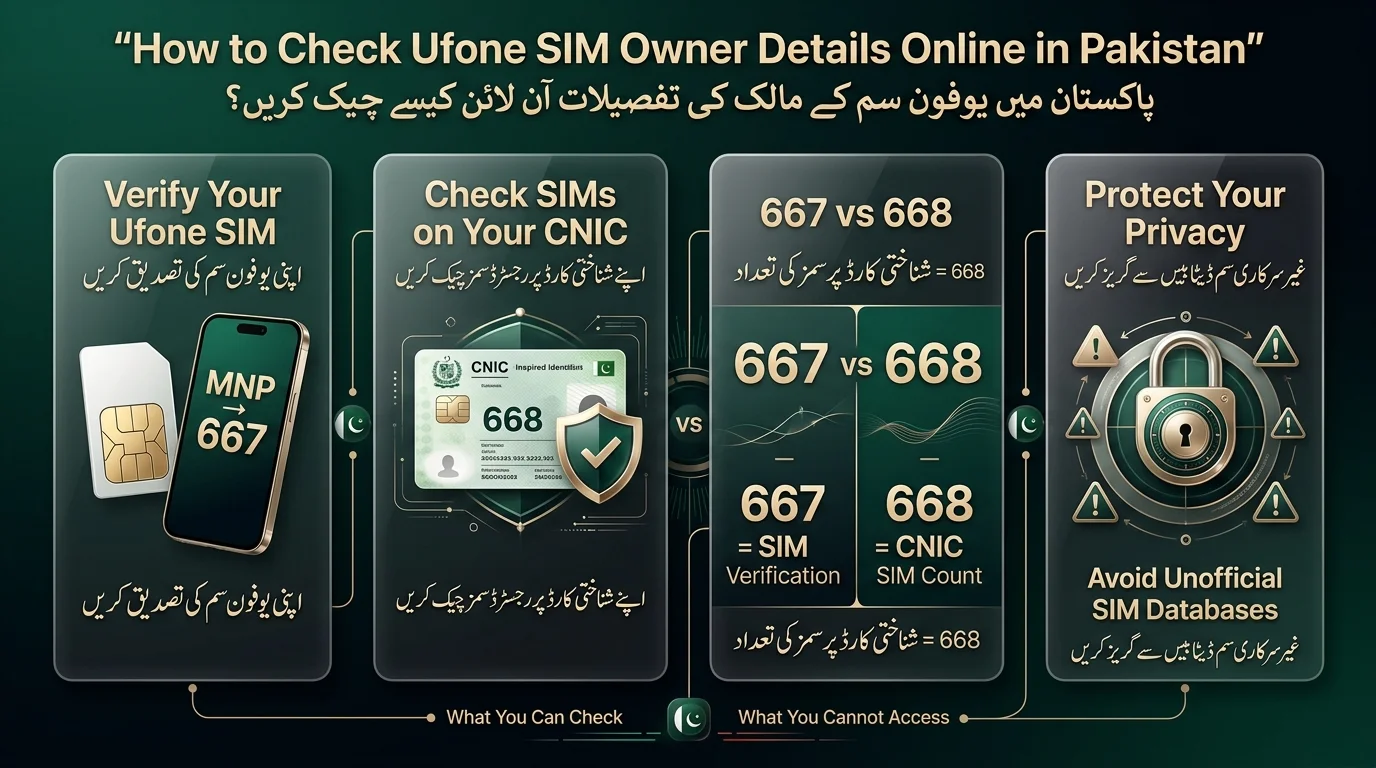
You can check Ufone SIM owner details in two ways: by verifying a SIM in your possession using Ufone’s SMS/USSD method, or by using PTA’s official service to see which SIMs are registered against your CNIC. Both methods are free or low-cost and secure. Do not attempt to look up someone else’s information using their mobile number, as unofficial sites may be outdated or fake and could compromise your personal data. In summary, use authorized Ufone and PTA channels for verification.
آپ Ufone SIM کے مالک کی تفصیلات کو دو طریقوں سے چیک کر سکتے ہیں: Ufone کے SMS/USSD طریقہ کا استعمال کرتے ہوئے اپنے پاس موجود سم کی تصدیق کر کے، یا PTA کی آفیشل سروس استعمال کر کے یہ دیکھنے کے لیے کہ کون سی سمز آپ کے CNIC کے خلاف رجسٹرڈ ہیں۔ دونوں طریقے مفت یا کم لاگت اور محفوظ ہیں۔ کسی اور کے موبائل نمبر کا استعمال کرتے ہوئے ان کی معلومات تلاش کرنے کی کوشش نہ کریں، کیونکہ غیر سرکاری سائٹس پرانی یا جعلی ہو سکتی ہیں اور آپ کے ذاتی ڈیٹا کو خطرے میں ڈال سکتی ہیں۔ خلاصہ یہ کہ تصدیق کے لیے مجاز یوفون اور پی ٹی اے چینلز استعمال کریں۔
Quick Ways to Check Ufone SIM Owner Details
If you’re looking for the fastest route, here’s a summary of all legitimate options before we proceed step-by-step.
| Method | Best For | Internet Needed? | Information You Get |
| Ufone verification (MNP to 667) | A SIM currently in your possession | No | Registered name, CNIC on file, activation date |
| PTA SIM Information System | Checking SIMs against your own CNIC | Yes (web) or No (SMS) | List of SIMs registered to your CNIC across networks |
| 668 | Quick CNIC-based SIM count | No | Number of SIMs per network registered to your CNIC |
| Ufone service center | Ownership disputes or mismatches | No | Biometric/identity verification and correction |
Important: Be cautious of unofficial third-party SIM database or number tracking websites that assert they can reveal a person’s name, CNIC, or address solely based on a phone number. These sources are not legitimate, and the PTA has consistently issued warnings regarding them. But official websites give accurate data for live tracking.
How to Check Ufone SIM Owner Details Using the Ufone Method
Insert the Ufone SIM
Before you start, make sure the SIM card you want to verify is inserted in a phone you have access to and is able to send SMS. You need the physical SIM in hand; this method doesn’t work for a number you don’t control.
Use the Applicable Ufone Verification Procedure
Open your messaging app, type MNP, and send it to 667 from the Ufone number you want to verify. This is the standard code for mobile number portability in Pakistan, and Ufone follows it. You’ll receive an automated reply shortly.
Review the Response
The SMS reply usually contains the subscriber’s name, registered CNIC number, and occasionally the activation date or SIM ICCID/IMSI. It’s important to compare this information with your own if you’re verifying ownership of a SIM.
What If the Information Doesn’t Match?
A mismatch can occur for several common reasons, including:
- Registration under someone else’s name (e.g., secondhand SIMs).
- Incorrect data entry during registration.
- The SIM being reassigned from a previous owner without updated records.
- Biometric verification not matching what’s on file.
- Recently transferred SIM ownership that hasn’t been fully updated.
If a mismatch arises, there’s no need to panic; you can refer to the section on fixing incorrect registrations for guidance.
Important Limitation
Verifying your own SIM is different from seeking another person’s private information. The MNP-to-667 method only works with the SIM in hand, and you cannot retrieve details using someone else’s number. Pakistani telecom regulations protect subscriber data, and legitimate systems are designed to uphold this protection.
How to Check Ufone SIMs Registered Against Your CNIC
This section explains how to check the number of SIMs registered under your name using the Pakistan Telecommunication Authority’s (PTA) SIM Information System. Citizens can access this system via the PTA’s official website or SMS shortcode 668, requiring their CNIC number for verification. The service displays the total number of SIMs registered across different networks against your CNIC, helping you identify any unauthorized or forgotten SIMs. If you find an unexpected number of SIMs, follow the steps in the guide to report and resolve the issue.
How to Check Ufone SIM Details Through 668
- What is 668? It is the PTA-mandated shortcode to check the number of SIMs registered against a CNIC across all mobile networks in Pakistan.
- How to Check: Send your CNIC number (without dashes) via SMS to 668 to receive a summary of SIM registration per network.
What Information Does 668 Provide?
- It gives the number of SIMs registered under your CNIC.
- It confirms ownership of the SIMs but does not provide personal information or details about individual SIM owners.
Difference from 667: 668 provides a count of SIMs under your CNIC, while 667/MNP identifies the owner of a specific SIM.
667 vs 668: What’s the Difference?
Since these two codes are the most commonly confused part of Ufone SIM verification, here’s a direct side-by-side.
| Feature | 667 | 668 |
| Main purpose | Verify a SIM currently in your possession | Check how many SIMs are associated with your CNIC |
| SIM required | Yes — you send it from the SIM itself | No — you send your CNIC number, from any working SIM |
| CNIC-based audit | No | Yes |
| Can check another person’s private data | No | No |
| Operator-specific | Yes, tied to the SIM’s network | Cross-network — shows SIMs on all operators |
If you remember nothing else: 667 is about a SIM, 668 is about a CNIC.
Can You Check a Ufone SIM Owner by Mobile Number?
If the Number Belongs to You
If it’s your own Ufone number, self-verification is straightforward: use the MNP-to-667 method above from that SIM, check the Ufone Self-Care portal, or call 333.
Number Belongs to Someone Else
There are no legitimate public tools available that allow someone to access a stranger’s full CNIC, home address, call records, or SMS history. Such data is protected under Pakistan’s data protection and telecom regulations. For legal reasons, individuals should pursue information through law enforcement or the PTA’s complaint process rather than online sources.
Why Third-Party SIM Owner Databases Are Risky
Be cautious of sites that promise instant name-and-CNIC lookups, as they often involve:
- False information with outdated or fabricated results.
- Data harvesting by collecting personal information without verification.
- Scams with fake fees for revealing results.
- Malware/phishing risks through disguised downloads or forms.
- Privacy concerns related to looking up someone without their consent.
Read Also: Pakistan SIM Database
What Ufone SIM Owner Information Can You Actually Check?
| You can verify | You should not expect |
| Registration status of a SIM you hold | Someone else’s full CNIC |
| Subscriber/registered name via authorized channels | Their home address |
| SIMs associated with your own CNIC | Their call history |
| Network/SIM count information | Their SMS history |
| — | Their live location |
| — | Their private account records |
How to Check If a Ufone SIM Is Registered in Your Name
- Verify the registration of a Ufone SIM if recently purchased or received.
- Ensure the SIM is inserted in your phone for verification.
- Use MNP to 667 for authorized SIM verification.
- Check the registration name and CNIC against your own.
- Confirm your CNIC’s registered SIM count via 668 or PTA’s portal.
- Contact Ufone if there are any discrepancies.
What to Do If a Ufone SIM Is Registered Under Someone Else’s Name
- Discovering that a SIM is not registered in your name is common, especially with secondhand SIMs.
- Avoid using unofficial owner databases, as they may be unreliable and pose data safety risks.
- To resolve the issue, visit an authorized Ufone service or franchise location with your CNIC and the SIM.
- Inquire about the formal SIM ownership transfer process, which typically requires both the current and new owner’s verification.
- If the registered owner is unavailable, consult Ufone staff for the appropriate procedures instead of seeking unofficial solutions.
Why You Should Fix the Registration
Leaving a SIM registered to the wrong person can lead to several issues, including:
- Difficulties in account recovery due to reliance on registered identity.
- Challenges in SIM replacement for lost or damaged SIMs.
- Increased risk of fraud, as improperly registered SIMs can facilitate financial and identity crimes.
- Identity protection concerns tied to unused SIMs linked to your CNIC.
- Potential ownership disputes that may escalate if not addressed early.
What to Do If You Find an Unknown Ufone SIM on Your CNIC
- If you find an unregistered SIM through 668 or PTA, act methodically.
- Confirm the registration by checking again via 668 or the PTA portal.
- Record relevant network and number information for reference.
- Contact the network operator (e.g., Ufone) directly to address the issue.
- Request investigation and removal of the unauthorized SIM from your CNIC.
- If unresolved, escalate the issue to the PTA for further assistance.
- Do not share your CNIC photograph or personal information with unknown SIM check websites.

Ufone SIM Owner Check Not Working? Troubleshooting Guide
- SMS Not Responding: Check for incorrect format (“MNP”), network issues, service unavailability, or SIM/account status.
- Inactive SIM: Contact 333 or visit a service center for reactivation if not used recently.
- Incorrect Registration Information: Visit an authorized Ufone center with your CNIC if details are wrong.
- Unexpected SIM on CNIC: Follow unauthorized-SIM steps instead of using the SIM check code.
- New SIM Activation: Newly purchased SIMs may take time to sync; check back after a day or confirm with the seller/service center.
Read Also: Check Jazz SIM Owner Name and Registration Details
Ufone SIM Owner Details: Important Privacy & Safety Advice
- Avoid using leaked or unofficial SIM databases.
- Do not enter your CNIC number on unfamiliar websites.
- Never share OTPs, even with people claiming to be Ufone support.
- Don’t upload CNIC or ID document photos to random sites.
- Be cautious of websites claiming to provide “100% accurate” information from just a phone number.
- Use official Ufone and PTA channels whenever possible.
Final Verdict
To verify a SIM, use Ufone’s method by sending “MNP” to 667 and compare the response to your records. For checking what’s registered against your identity, utilize PTA’s SIM Information System or the 668 shortcode. Remember, 667 checks a SIM, while 668 checks a CNIC. Avoid relying on third-party websites for private subscriber details; instead, contact Ufone or PTA if you find issues with your registration or unfamiliar SIMs.
سم کی تصدیق کے لیے، 667 پر “MNP” بھیج کر Ufone کا طریقہ استعمال کریں اور اپنے ریکارڈ کے جواب کا موازنہ کریں۔ یہ چیک کرنے کے لیے کہ آپ کی شناخت کے خلاف کیا رجسٹرڈ ہے، PTA کا سم انفارمیشن سسٹم یا 668 شارٹ کوڈ استعمال کریں۔ یاد رکھیں، 667 ایک سم چیک کرتے ہیں، جبکہ 668 ایک CNIC چیک کرتے ہیں۔ پرائیویٹ سبسکرائبر کی تفصیلات کے لیے تھرڈ پارٹی ویب سائٹس پر انحصار کرنے سے گریز کریں۔ اس کے بجائے، اگر آپ کو اپنی رجسٹریشن یا غیر مانوس سموں میں مسائل کا سامنا ہو تو Ufone یا PTA سے رابطہ کریں۔
Frequently Asked Questions
How can I check my Ufone SIM owner name?
Send MNP via SMS to 667 from the Ufone SIM in question. You’ll receive an automated reply with the registered name and CNIC on file for that number.
Can I check Ufone SIM owner details online?
Yes, to an extent, the Ufone Self-Care web portal or My Ufone app can show your own account’s registration details once you log in with your credentials.
What is 667 used for?
667 is used to check the registration details: name, CNIC, and sometimes the activation date of the SIM you’re currently sending the SMS from.
What is 668 used for?
668 is used to check how many SIMs, across all networks, are registered against a given CNIC. Send your CNIC number to 668 to get the count.
Can I find the CNIC of a Ufone number?
Only for a SIM you physically hold, using the 667 method. There’s no legitimate public tool to pull a stranger’s CNIC from just their phone number.
Disclaimer
This article provides general information about Ufone SIM ownership details and verification services, including 667 and 668. For the latest information, check official Ufone and PTA channels because telecom services, procedures, charges, and policies may change over time.
Use the methods discussed in this article only to verify SIMs registered in your own name. Do not attempt to access another person’s private information without authorization, as doing so may violate applicable laws and privacy requirements.
Avoid unofficial websites or services that claim to provide private SIM owner information. Such sources may publish inaccurate or outdated data or expose users to scams.
If you encounter an ownership dispute, incorrect SIM registration, or another account-related issue, contact Ufone customer support or visit an authorized Ufone service center. Always confirm current service availability, procedures, and applicable charges through official channels.
Sources & References
- Pakistan Telecommunication Authority (PTA): Official information regarding SIM registration, CNIC-based SIM verification, telecom regulations, and consumer complaints.
- Ufone: Official information and customer support for SIM registration, ownership verification, account management, and service-related issues.
- NADRA: Official identity and biometric verification information used for authorized SIM registration and verification processes.
- PTA SIM Information System: Official channel for checking SIMs registered against your own CNIC.
- 668 SIM Information Service: Used to check the number of SIMs registered against your own CNIC across mobile networks.
Important: Shortcodes, SMS charges, service procedures, and available information can change. Always check the latest instructions through official Ufone and PTA sources before using a telecom verification service.